
What is IBM B2Bi#
IBM Sterling B2B Integrator does one job: move files between your business and your trading partners — banks, suppliers, logistics providers, whoever needs EDI documents, flat files, or XML exchanged reliably and traceably — and know exactly what happened to every file at every step. That’s it. Everything else exists to support that one job.
IBM’s own overview puts it plainly: B2Bi is built to manage “the technical and human dynamics of business-to-business partner relationships” (IBM Documentation). In practice, “technical and human dynamics” means the software has to be forgiving of partners who send malformed files, change their connection details without warning, and occasionally vanish for a week over the holidays — while your audit trail still needs to hold up.
IBM B2Bi Components#
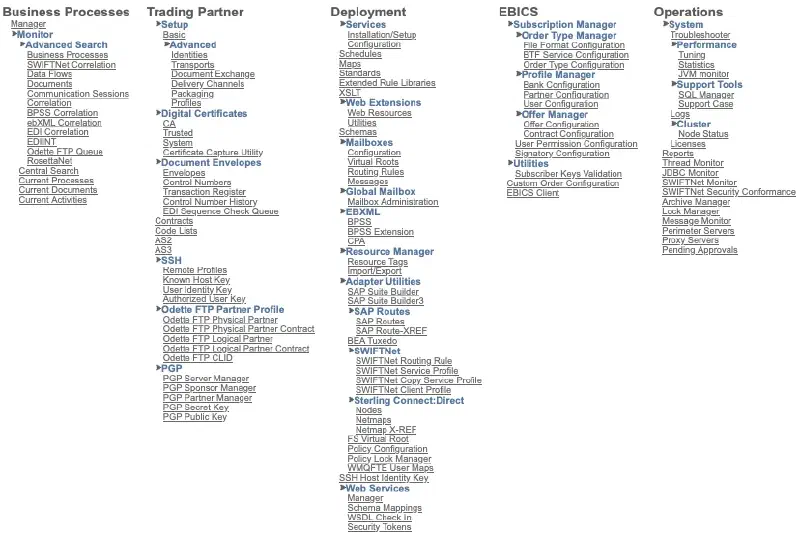
Memorizing a components list never worked, but tracing one file end to end did. For scale, here’s the full admin menu tree — everything below is one branch of it:
Perimeter Server#
A partner connection doesn’t hit the core engine directly. It lands on a Perimeter Server sitting out in the DMZ, which handles the actual protocol handshake (SFTP, AS2, HTTP) and forwards traffic inward over a secure channel. Most intro material skips this entirely, which is a shame, because it’s the whole reason you can expose partner-facing endpoints without ever putting your core engine anywhere near the public internet. If you’ve ever wondered why a Sterling deployment diagram has boxes sitting outside the firewall, this is why — and it deserves its own post later in this series: Part 6 covers exactly how that DMZ box talks to the core engine.
Adapters#
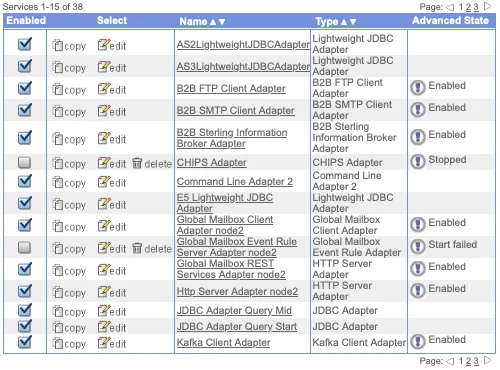
From there, an Adapter picks it up. Adapters are narrow by design — SFTP, AS2, Connect:Direct, HTTP/S, JDBC, and a few dozen others — and each one does exactly one thing: receive or send a file over its specific protocol, then hand it to a Business Process.
Business Process#
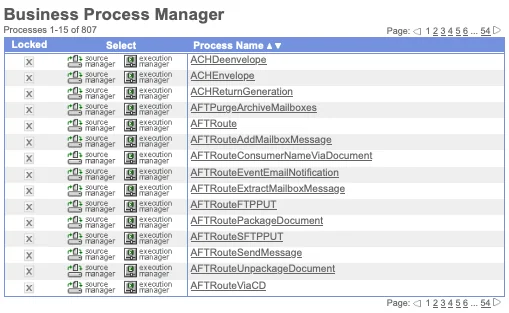
That handoff is where things get interesting. A Business Process is a workflow — modeled visually in the Graphical Process Modeler, stored underneath as BPML (Business Process Markup Language) — that strings together steps: validate this, map that, encrypt this, route it, page someone if it fails. Practically everything meaningful in B2Bi happens inside a Business Process. It’s the closest thing the platform has to a heart.
Services#
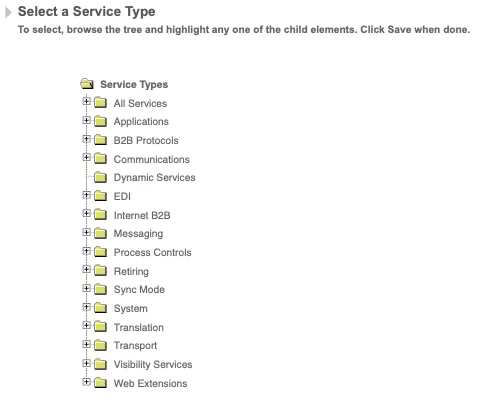
Inside that process, Services do the internal work — mapping, validation, extraction, compression, custom logic — while Adapters keep handling the outside world. A Business Process, stripped down, is mostly just Adapter and Service calls in sequence, with branches for when things go wrong (and in production, something always eventually goes wrong).
Map#
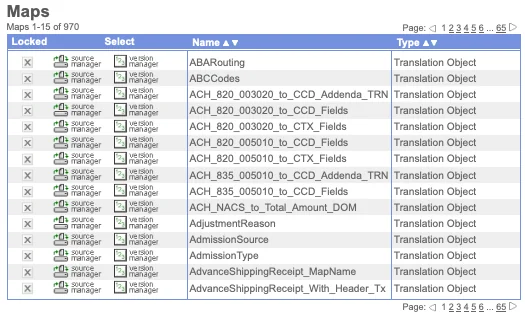
Somewhere in that sequence, a Map usually runs. Partners almost never send data in the shape you actually need — EDI to XML, flat file to JSON, whatever the downstream system expects — and that translation happens in the Map Editor, which is deep enough to deserve its own post later in this series. I’m not exaggerating when I say some of the gnarliest bugs I’ve chased started as “the map did something weird with a null field.”
Mailbox#
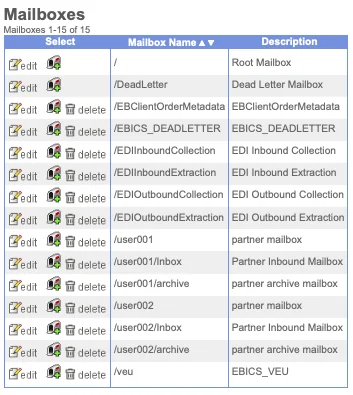
The file usually lands in a Mailbox — a secure, permissioned drop box inside B2Bi. This is where I see the most confusion, even among people who’ve used Sterling for years: File Gateway is not a separate product competing with B2Bi. It’s a purpose-built UI and routing layer sitting on top of B2Bi’s mailbox and adapter machinery, built specifically so partner file exchange can be managed without anyone having to touch BPML directly (IBM’s File Gateway overview is worth reading if this is new to you).
Database#
And underneath all of it sits the Database — every Business Process’s state, every document’s tracking history, the full audit trail. Easy to take for granted until your first real outage, when document tracking data becomes the only honest record of what actually happened to a file. I’ve reconstructed more than one incident timeline purely from that table.
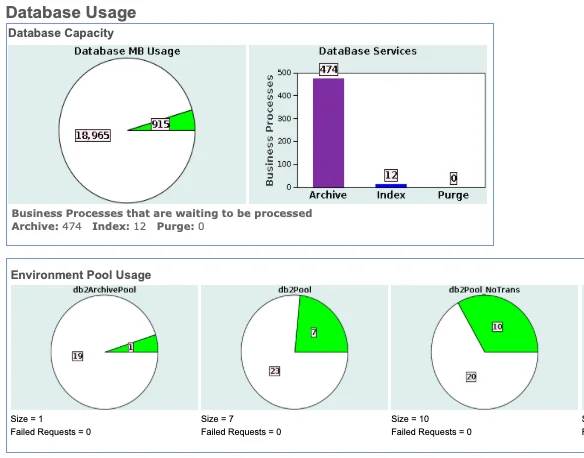
For production environments that can’t tolerate downtime, B2Bi also supports multi-node Clustering — worth knowing it exists, not something you need on day one.
Topology design#
Here’s the architecture as one picture:
flowchart TB
    subgraph Partners["Trading Partners"]
        P1["Partner A"]
        P2["Partner B"]
    end

    subgraph DMZ["DMZ"]
        PS["Perimeter Server"]
    end

    subgraph Core["B2B Integrator Core"]
        AD["Adapters
SFTP / AS2 / Connect:Direct / HTTP"]
        BP["Business Processes
(BPML Engine)"]
        SV["Services
Mapping / Validation / Routing"]
        MB["Mailboxes"]
        FG["File Gateway
(UI layer over Mailboxes)"]
    end

    DB[("Database
Document Tracking & State")]

    P1 --> PS
    P2 --> PS
    PS --> AD
    AD --> BP
    BP --> SV
    SV --> MB
    FG -.manages.-> MB
    BP <--> DB
    MB <--> DB
And here’s the same idea as a timeline, since a static diagram doesn’t quite capture that this all happens as a sequence of discrete handoffs — useful when you’re trying to figure out which log to check first:
sequenceDiagram
    participant Partner
    participant PS as Perimeter Server
    participant AD as Adapter
    participant BP as Business Process
    participant MB as Mailbox
    participant DB as Database

    Partner->>PS: Connect (SFTP/AS2/HTTP)
    PS->>AD: Forward file over secure channel
    AD->>BP: Trigger Business Process
    BP->>BP: Run Services (map, validate, route)
    BP->>DB: Log document tracking state
    BP->>MB: Deliver file
    MB->>DB: Record delivery status
    Note over Partner,DB: Every arrow above is a point
where the file can fail — and a place
document tracking will show you why
That note at the bottom is really the point of this whole post: once you can picture the file’s actual path, troubleshooting stops being guesswork. You just walk the diagram backward from where the file stopped.
Sources#
I’d rather link you to IBM’s own documentation than paraphrase it badly, so here’s what I drew on for this post — all official IBM Documentation pages, worth bookmarking regardless of whether you read this series:
- Sterling B2B Integrator — Overview
- Architectural Overview
- Perimeter servers in Sterling B2B Integrator
- Business Processes
- Sterling File Gateway — Overview
- Creating a Sterling B2B Integrator Mailbox
Everything else in this post — the framing, the “which log to check first” advice, the war stories — comes from actually running this stuff in production for the last several years, not from a manual.
What’s next#
Next up in this series: Adapters vs. Services — the distinction that trips up almost everyone in their first few weeks with Sterling, and the one that actually matters most when you’re troubleshooting at 2am.